Digital marketing
How to plan a month of social media content for a small business
Posting without a plan wastes time. A realistic monthly routine: choose platforms, set content pillars, batch your work and learn from the results.
By Zafirox Tech Team · · 4 min read
Most small businesses do social media in bursts: a flurry of posts after a good week, then silence while the work piles up. The people who follow you notice. A simple plan turns social media from an anxious chore into a routine that takes a predictable few hours a week. This guide shows a realistic method, with no tricks and no promises about viral reach.
1. Decide what social media is for
Choose the main job. It might be to bring in enquiries, to show real work, to build trust before people contact you or to keep past customers engaged. One clear goal tells you what to post and how to judge it. Without a goal, the only thing left to measure is likes, which rarely pay the bills.
2. Pick platforms where your customers are
Do not try to be everywhere. Two platforms done consistently beat six done badly. Ask your customers where they spend time, look at where your competitors get engagement, and consider the format you can produce regularly: photos, short video, written updates or professional posts. Business-to-business firms often find LinkedIn valuable; local services and retailers often favour Facebook, Instagram or WhatsApp channels; younger audiences may be on TikTok or YouTube Shorts. Test, then focus.
3. Define four or five content pillars
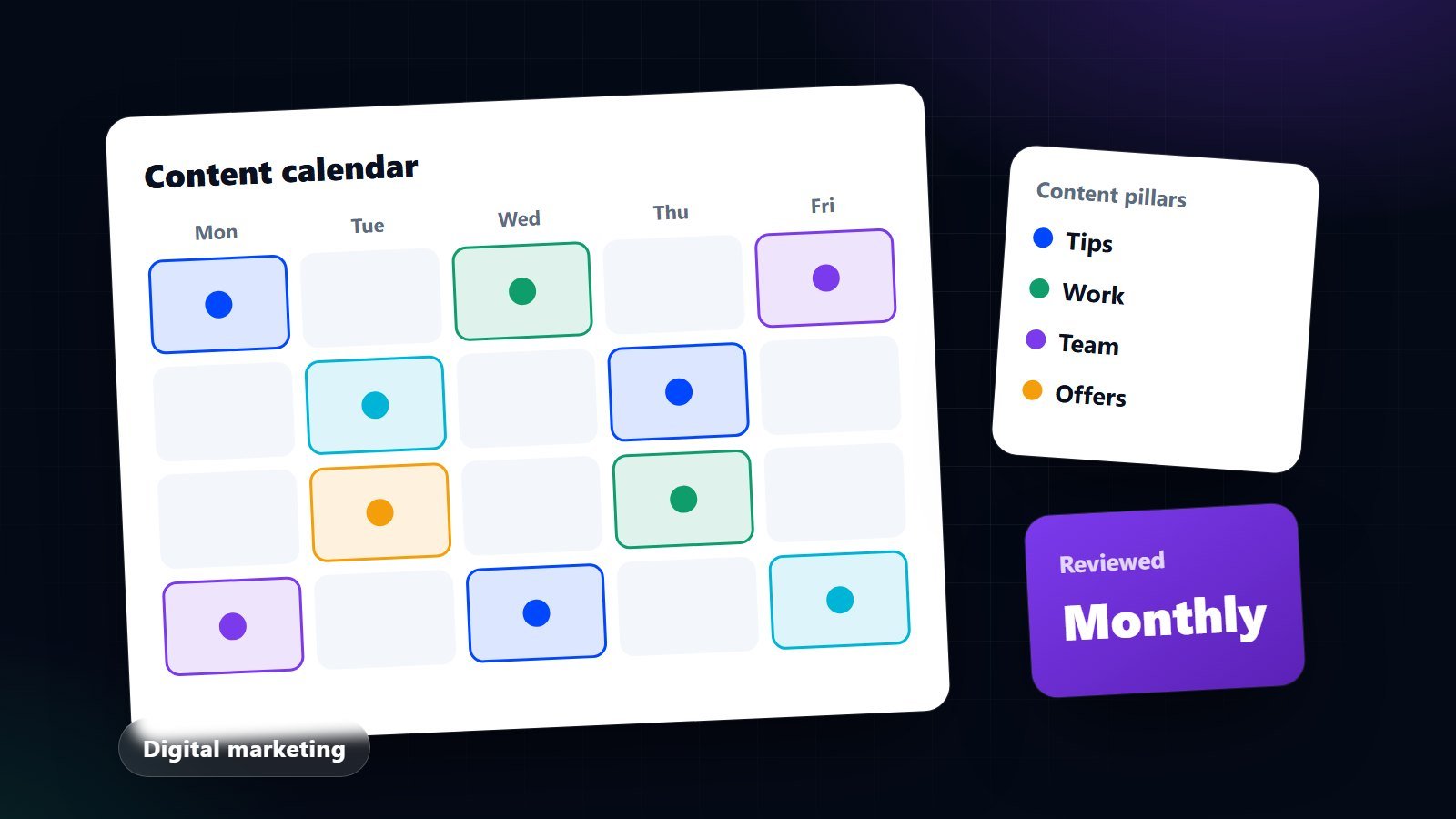
Pillars are recurring themes that make planning easy. A cleaning company might use: before-and-after jobs, practical tips, team stories, customer reviews and offers. A fragrance shop might use: product spotlights, how to choose a scent, behind the scenes, customer photos and delivery updates. Each pillar should serve your goal and show something genuine about your business.
4. Use a mix that is not all selling
A helpful rule of thumb is to make most posts useful, interesting or human, and a minority directly promotional. People follow businesses that teach, entertain or reassure them. They ignore a feed that only shouts about discounts.
5. Build the calendar
- Choose a realistic frequency. Three posts a week that you can keep up are better than daily posts that stop after ten days.
- Mark the fixed dates: product launches, sales, holidays, religious and cultural occasions that matter to your audience, local events and seasonal demand.
- Assign a pillar to each slot, for instance Monday tip, Wednesday product or project, Friday customer story.
- Write down the idea, the format and the call to action for each post, such as "send us a message", "visit the page" or "book a call".
- Leave a few empty slots for timely, unplanned content.
A spreadsheet is enough. Columns for date, platform, pillar, idea, format, status and link to the final post will do.
6. Batch the work
Context-switching eats time. Set aside a block each fortnight or month and do like with like: write all captions in one sitting, take all photos and videos on one day, design all graphics together. Schedule posts using the platform's built-in tools or a scheduler. Then spend a few minutes each day replying to comments and messages, which is where real relationships form.
7. Make good content with simple tools
- Shoot in natural light and hold the phone steady.
- Show real people and real work, not just stock images.
- Add captions to video, because many people watch without sound.
- Reuse one idea in several forms: a customer question becomes a short video, a carousel and a blog article.
- Always get permission before featuring customers or their property.
- Use only images and music you have the right to use.
8. Connect social to your website
Social platforms change their rules and reach, but your website is yours. Link to it from every profile and, where it fits, from posts. Make sure the page people land on matches the promise of the post and has an obvious next step. Use campaign tags on links so you can see in analytics which posts bring visitors, as described in our GA4 and Search Console guide.
9. Review monthly
At the end of each month, look at what happened against your goal. Which posts brought messages, clicks or sales? Which pillars were ignored? What questions did people ask in the comments? Do more of what worked, drop what did not, and write down one thing to test next month. Avoid being discouraged by a single weak post. Look for patterns over several weeks.
10. Paid promotion, carefully
Boosting a good post to a defined local audience can be worthwhile, but start with a small budget, a clear goal and a landing page that supports it. Read our guide to how much a small business should spend on Google Ads for budgeting principles that apply to any paid channel.
Mistakes to avoid
- Buying followers or engagement. They do not buy from you and they damage your credibility.
- Posting the same message on every platform without adapting it.
- Ignoring comments and messages.
- Making claims you cannot support. Advertising rules apply to social posts too.
- Forgetting that the account belongs to the business. Keep admin access with the owner.
If you would like a monthly plan prepared for your business, or ongoing management so you can concentrate on the work itself, see our social media marketing service or talk to us.