SEO
Core Web Vitals explained for business owners
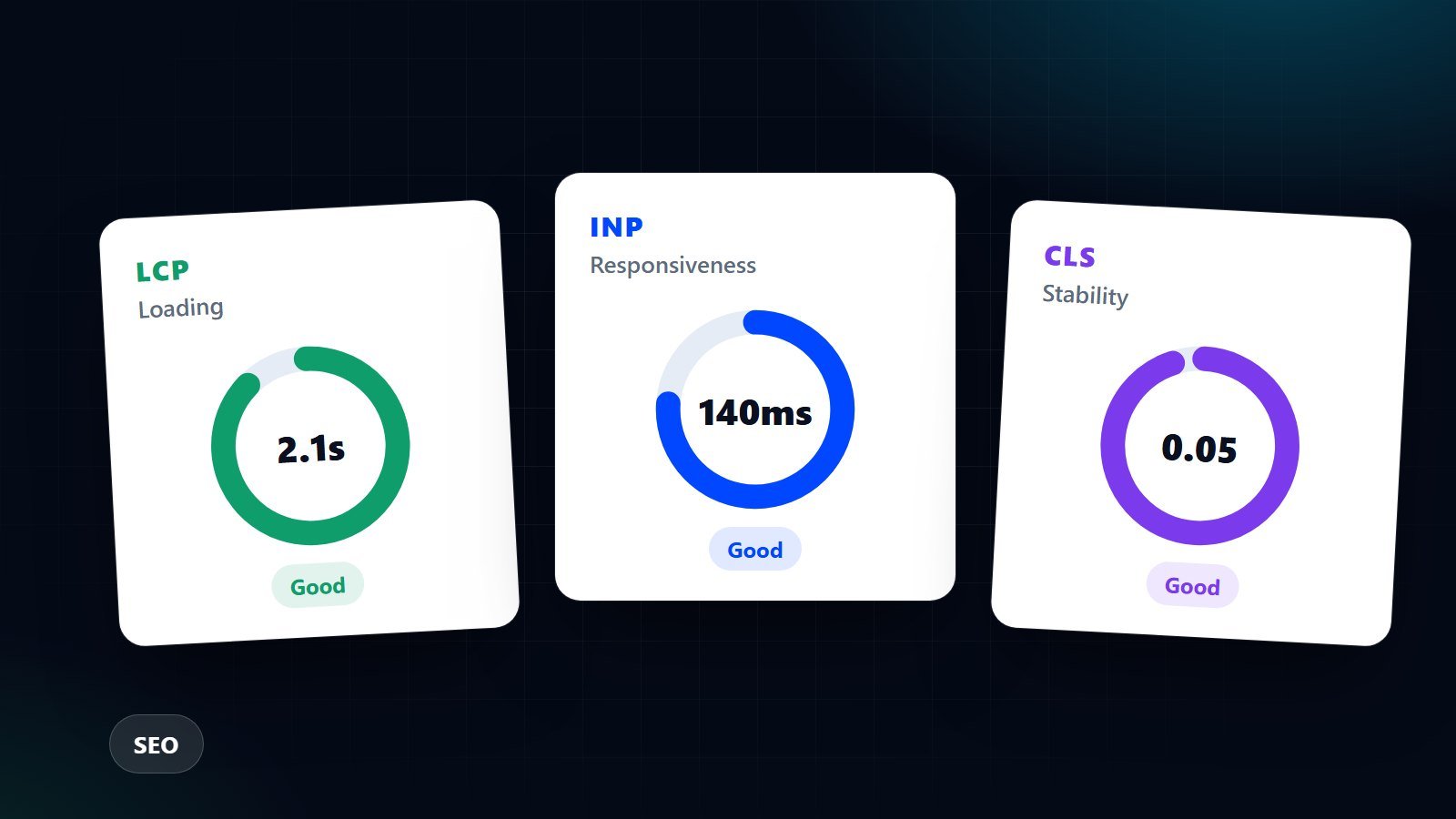
LCP, INP and CLS sound technical, but they describe three things your visitors feel: how fast the page appears, how quickly it responds and whether it jumps around.
By Zafirox Tech Team · · 3 min read
Core Web Vitals are Google's way of measuring how a page feels to use. The names are technical, but the ideas are simple, and you do not need to be a developer to understand them or to ask the right questions of whoever looks after your website.
The three measurements
- Largest Contentful Paint (LCP) is how long it takes for the main content, usually a large image or heading, to appear. Google treats 2.5 seconds or less as good.
- Interaction to Next Paint (INP) is how quickly the page reacts when someone taps a button, opens a menu or types in a form. Google treats 200 milliseconds or less as good.
- Cumulative Layout Shift (CLS) is how much the page jumps around while loading, for example when a banner pushes the text you were about to tap out of the way. A score of 0.1 or less is considered good.
Do they affect rankings?
Google has said that page experience is one of many signals, and relevance and content quality matter far more. So do not expect a faster site to leapfrog a better answer. The more reliable benefit is practical: people who wait for a slow page or fight a jumpy layout leave, and those visitors are the ones you paid or worked to attract.
How to check your own site
- PageSpeed Insights. Enter a page address and read the "field data" at the top if it is shown. That is real visitor data. The "lab" results below it are a useful test, but they are a simulation.
- Search Console. The Core Web Vitals report groups your pages and shows which ones need attention on mobile and desktop.
- Test your key pages, not just the home page. Your top service page and your contact page usually matter more.
Small sites may not have enough visitors to produce field data. In that case, treat lab scores as a guide rather than a verdict.
Common fixes that make a real difference
- Resize and compress images. A phone photo uploaded at full size is the single most common cause of a slow LCP. Serve modern formats and sizes that match the space on screen.
- Do not lazy-load the main image. Images below the fold can load later, but the large image at the top should load first.
- Reserve space for images, adverts and embeds. Setting width and height stops the layout from jumping and fixes most CLS problems.
- Remove what you do not use. Old plugins, extra tracking scripts, chat widgets and sliders add weight and slow responses, which hurts INP.
- Load fonts sensibly. Use fewer font files and make sure text stays visible while they load.
- Check your hosting. A slow server response affects everything that follows. Caching and a content delivery network help on most sites.
What to ask your developer
You do not need to dictate the solution. Ask which of the three measurements fails on your most important pages, what is causing it and what the fix involves. A good answer names a specific cause, such as "the hero image is 3 MB", rather than saying the site "needs optimising".
Speed is part of the build, not a bolt-on
It is far easier to build a fast site than to rescue a slow one. When we plan a project we think about image sizes, scripts and hosting from the start. If you are launching a new site, our technical SEO checklist for a new website launch shows where speed fits alongside redirects and indexing. If your current site is struggling, see our technical and on-page SEO service or get in touch and we will tell you honestly whether the problem is a quick fix or a deeper one.